

myCred










Forum Replies Created
-

This shortcode
mycred_pacman_gamerenders the pacman game on the frontend.
Please logged in to play this game
-


myCred Arcade Game addon is a maze game that enables the admin to award points to users who plays the game. Users will earn points by consuming power pellets while dodging four colored ghosts.
Consuming Power Pellets (big blinking dots) will turn ghosts into blue and consuming them will give users bonus points.
Customize the arcade game’s elements according to your liking and even set limits to how many points your users can earn at a certain time.
These are available Shortcodes
-

myCred Spin Wheel is a gamification Add-on which attracts visitor of your site and gives them a chance to spin the fortune wheel where they will be awarded by points. It is a different way to offer points to your customers. Spin Wheel can appear on any page of your WordPress site. Users can play a spin once they visit on your site depend on your wheel settings.
For more information please visit Documentation
-

myCred Fortune Wheel is a gamification Add-on which attracts visitor of your site and gives them a chance to spin the fortune wheel where they will be awarded by points. It is a different way to offer points to your customers. Fortune Wheel can appear on any page of your WordPress site. Users can play a spin once they visit on your site depend on your wheel settings.
[fortunewheel wheel_id=520]
For more information please visit Documentation
-
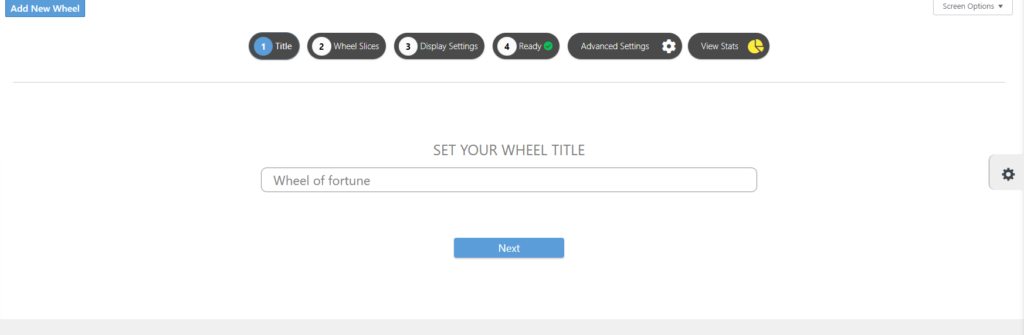
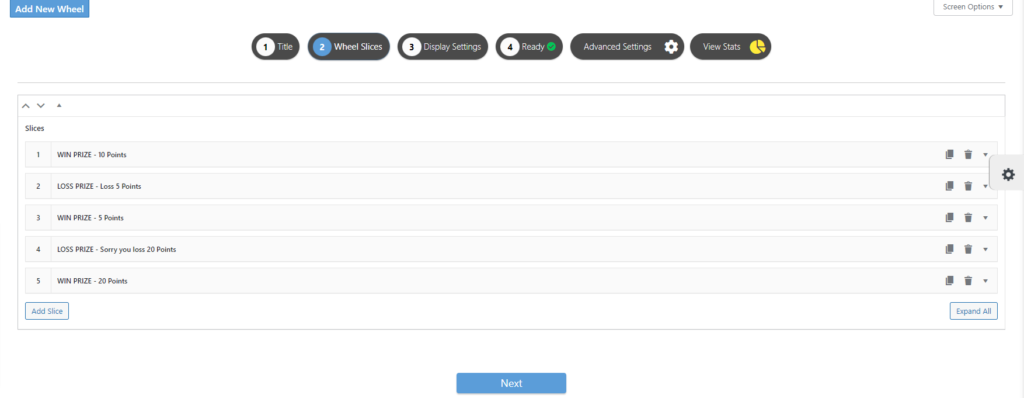
myCred Spin Wheel is a gamification Add-on that allows your website visitors to test their luck by spinning the aesthetically beautiful wheel. Set up unlimited slices on the wheel based on how you want to reward your users.
Available Shortcode
For more information please visit Documentation.
Setup
- Add Title for wheel
- Add Slices
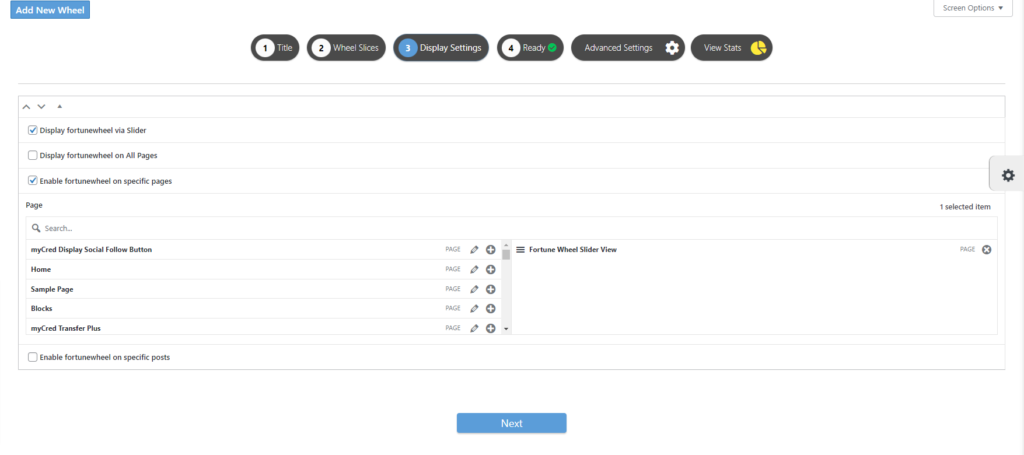
- Display Setting
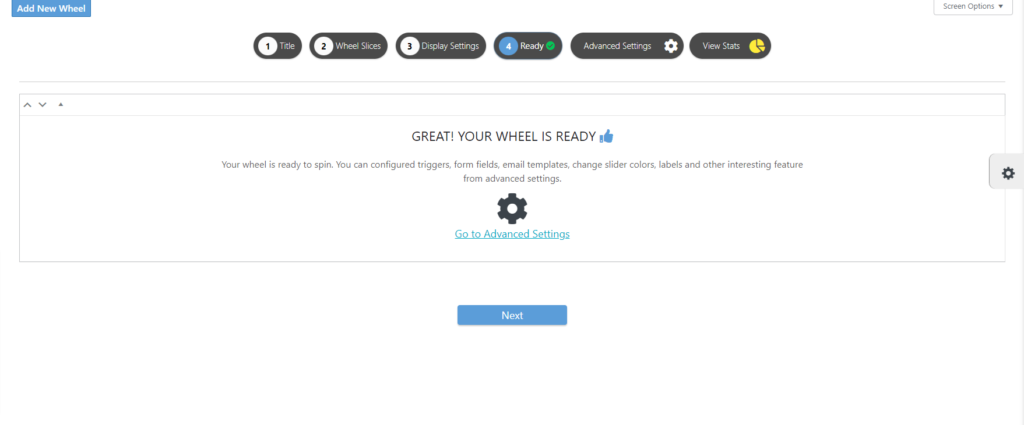
- And you are ready
-

myCred Reset Points Add on has an ability to Reset the Points on one click. Admin can use this function to Reset the Points of Users by selecting all User Roles or specific User Roles.
1. User Role
It provides the functionality to reset the points of different groups filtered by User Roles. It will fetch and display all existing User Roles and also those User Roles created by a third-party Plugin.

2. Point Types
You can Reset default Point Types e.g; Points, Chips, Coins.

Click here for more info Documentation
-

This add-on allows you to create point related email notifications, that are sent to your users, your administrators or both. You can use this to keep track of point related events or inform your users when they gained or lost points. Users can always unsubscribe from receiving these emails.
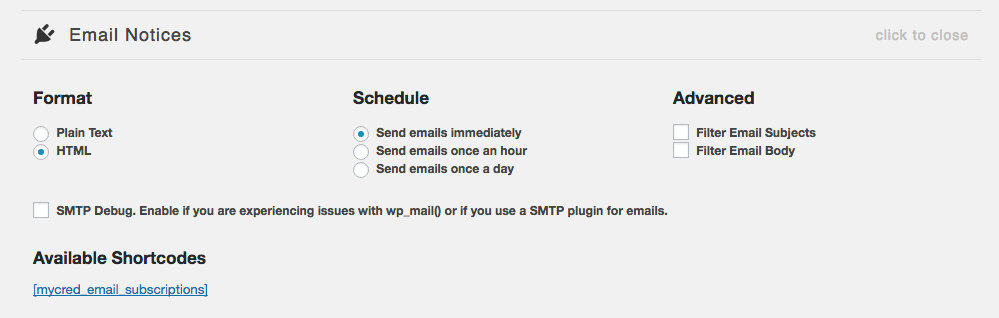
For more information please visit Documentation.
-
-

DISPLAY POP-UP NOTIFICATIONS TO YOUR USERS EVERY TIME THEY GAIN OR LOSE POINTS.
Create and display pop-up notifications that alert your users whenever they gain or lose points. The premium version of this add-on has additional features such as instant notifications, help-in positioning, and styling messages.
FEATURES:
Transient Lifespan
Set the number of days a user’s notification is saved before getting automatically deleted.
Time Duration
Set the number of seconds before the notification is removed from the user’s display.
Change Notification Template
You can change the HTML content template used for the notifications.
CSS Styling
Option to use the included CSS styling for your notification display.
For more information click here documentation
-

The myCred Expiration Add on allows you to set expiry dates on any user’s points. You can set the expiration dates however you see fit and what’s special about this addon is that you can also send an email notification to the user to let them know that their points are close to an expiration date.
Available Shortcode : [
myCred Front Expiry Left]Example of shortcode :
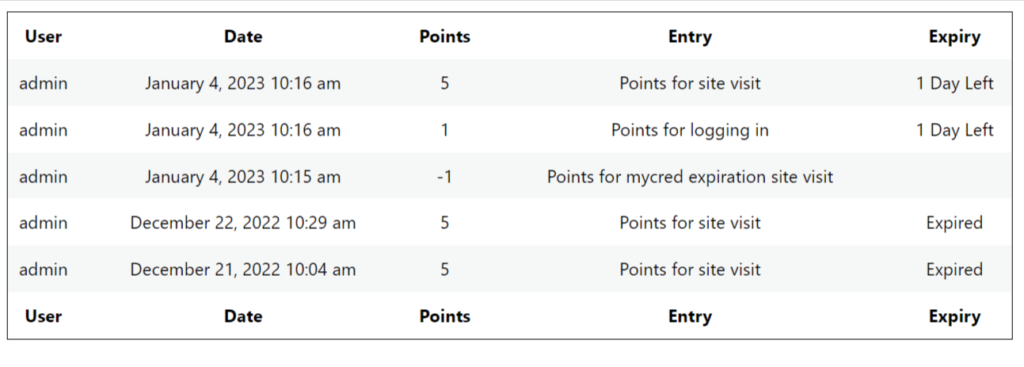
For more info please visit Documentation
-

myCred Video add-on helps you award points to users that have viewed your video content on Vimeo as well as YouTube. You can also notify your users of the points they have earned while watching videos on Vimeo and YouTube.
Available Shortcode:
For more info please visit documentation
-

myCred Progress Map add-on lets you to track their progress and view steps to achieve the specific badge.
Available Shortcodes
For more information click here documentation
-
This
mycred_badges_progressshortcode allows you to show a progress bar for your badges for the current user.
User must be login to see progress.
User must be login to see progress.
User must be login to see progress.
-

myCred Progress Bar add-on will provide you shortcode that will render html progress bar and radial progress of rank and badges of given current logged in user.
Available shortcodes:
For more information click here documentation
-

The Gateway add-on serves as a bridge between myCRED and some of the most popular Store and Event Management plugins. If enabled on a website where a supported store or event management plugin is installed and set up, the add-on will insert myCRED as a payment option.
You can view a live demo of this add-on at our demo shop.
- Add a product to your cart.
- Proceed to Cart.
- Proceed to Checkout.
- You can see the Pay with myCred gateway in the Your Order section.
Exchange Rate for this demo shop:
1 Dollar = 2 PointNote: If your point balance is less than the order total then myCred Gateway will not visible on the checkout page.
If you don’t have enough points to test this demo don’t worry you can redeem points from the myCred Coupon.This is how myCred gateway will see in WooCommerce
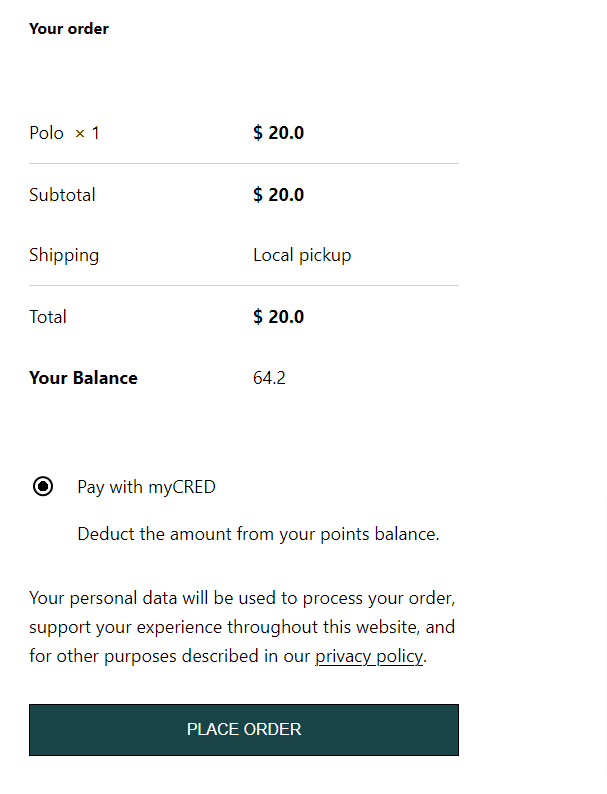
For more information please visit Documentation.